Photo to paint by number: turn 1 photo into a numbered template
Choose a JPG, PNG, or WebP, set 6–36 colors, and download a numbered outline PNG, matching palette PNG, and printable Letter PDF. Free, with all photo processing in this tab.
Choose a photo to begin.
The photo and pattern stay in this tab. Download your files before closing it.
What is a photo to paint by number converter?
A photo to paint by number converter turns one photograph into closed color regions, outlines those regions on white, and places a palette number inside each one. Paint every region marked 1 with color 1, then repeat for the remaining numbers. The filled preview shows how the same numbered palette represents the photo before you print.
This tool reduces the image to a working edge of at most 512 px, groups similar colors, and merges small connected areas into neighboring colors. It then finds an interior position for every region number. The result is a raster craft template based on the actual photo; it is not a hand-painted illustration or a professionally edited painting kit.
Examples
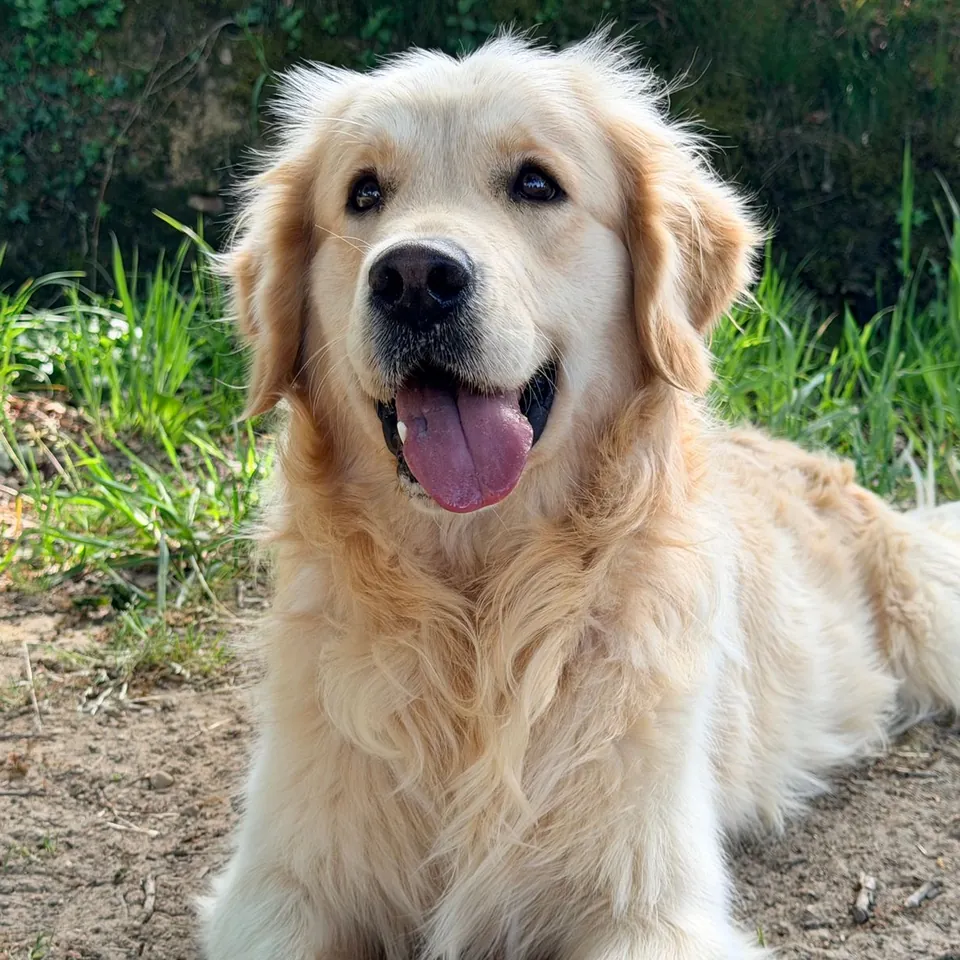
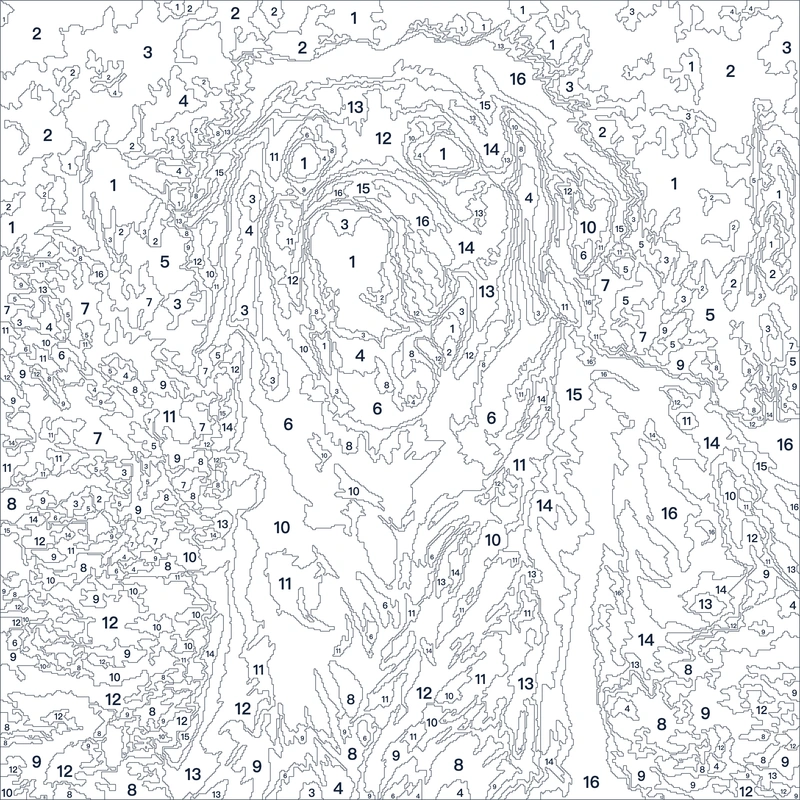
Make a paint-by-number pattern in 3 steps
Choose 1 JPG, PNG, or WebP photo, up to 20 MB and 20 megapixels. Start with a well-lit subject against a simple background.
Set Colors to 6–36, Minimum region to 8–1,200 working pixels, and Smoothing to 0–3. The starting settings are 16 colors, 80 pixels, and smoothing 1. Select Make paint-by-number pattern.
Compare Numbered template with Filled preview. Download Template PNG, Palette PNG, or the printable Letter PDF, which includes both the pattern and color key on 1 page.
Choose colors, minimum region size, and smoothing
Start with 12–16 colors for a pet, portrait, or simple landscape. Choose 6–10 for broad, easier painting spaces. Use 24–36 when several similar shades matter, but expect more regions and smaller numbers. The selected number is a maximum: a simple image or region merging can leave fewer colors in the finished palette.
Minimum region measures area in the reduced working image. At 8 pixels, small details can survive. At 200–600 pixels, many tiny islands join larger adjacent areas. Raising it can remove an eye highlight, lettering, or fine fur, so inspect the filled preview after each change. It does not measure square millimeters on the printed page.
Smoothing 0 keeps the most texture. Levels 1–3 progressively soften local variation before color reduction. Try 2 for noisy shadows or detailed grass. Settings changes clear old downloads; select Make paint-by-number pattern again to generate files for the new values. Cancel stops the current calculation.
Download a numbered PNG, palette PNG, or Letter PDF
The template PNG is 4 times the working dimensions, up to 2,048 px on its long edge. Enlarging makes the outline and numbers easier to print; it does not recover detail removed during reduction. The palette PNG lists matching numbers and hexadecimal colors. The 1-page PDF fits the pattern and color key inside US Letter portrait paper. Select fit to page when printing.
Hex colors describe the screen palette, not a paint manufacturer’s mixing formula. Paper, printer ink, lighting, and physical paint can all change the apparent shade. Match your paints by eye and test a few swatches first. Narrow shapes may still have tiny numbers; use fewer colors or a higher minimum region size if they are difficult to read.
Photo quality, local processing, and image rights
The photo is decoded and processed on this device in a background browser worker. This converter does not store the source or pattern. Closing or refreshing the tab clears your working copy, so save the downloads first. A current browser with image worker and canvas support is required.
Results depend on the source image. Blurred subjects, heavy shadows, patterned clothes, and busy backgrounds can produce awkward shapes. Crop the subject before choosing the photo, simplify the palette, or increase smoothing. The converter cannot infer missing detail or guarantee a professional art result.
Use a photo you own or have permission to transform, print, and share. A downloadable pattern does not grant rights to somebody else’s photography or artwork. Commercial use depends on the permissions attached to your source.
More free GIF and photo tools
Photo to paint by number questions
Is photo to paint by number free?
Yes. The numbered template PNG, palette PNG, and printable PDF are free to create and download in this browser.
Which photo formats and limits work?
JPG, PNG, and WebP work. Choose 1 file up to 20 MB and 20 megapixels. Processing uses a maximum 512 px working edge; the template PNG has a maximum 2,048 px edge.
Can I print the pattern and its color key?
Yes. Download the 1-page Letter PDF for the numbered pattern and key together, or print the 2 PNG downloads separately. The PDF contains raster artwork.
Why are there fewer colors than I selected?
The setting is a maximum. Similar source colors and small-region merging can reduce the final count. Every remaining palette number matches the template and filled preview.
Does the converter save my photos?
No. Photos and patterns remain in this browser tab. Download the files to keep them; the converter does not provide a stored project or later recovery.
Will every photo make an easy painting?
No. Complex photos can produce fine outlines and small numbers. Fewer colors and larger minimum regions simplify the pattern but also remove details.