Why is my photo GIF blurry?
A photo GIF is blurry for three different reasons. The page may be stretching a small file, the source photo may already be soft, or a thin palette may have turned a smooth area into stripes. Open the file at 100 percent before you change the photo.
Make a GIF from photosThree causes, three files
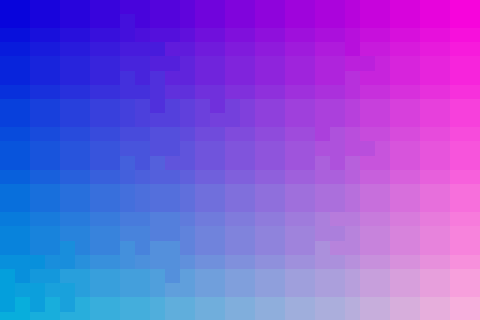
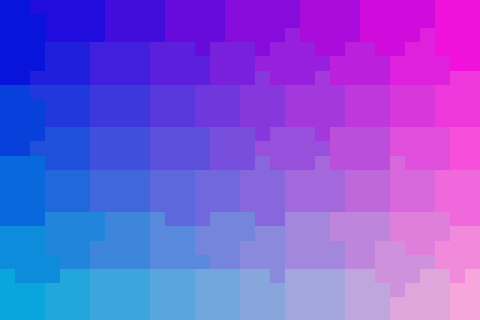
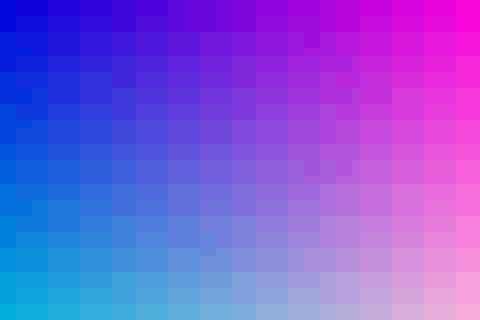
Look at the downloads at 100 percent, not stretched. Palette bands are flat stripes across a gradient. Display blur is a small GIF enlarged by the page. A poor source is already soft or blocky before the GIF is made.
The fixtures are one 480 by 320 gradient. Nothing here was passed through an enhancer.
| File | Colors | Bytes | What you should see at 100% |
|---|---|---|---|
| quality-256.gif | 256 | 18,658 | Smoother transitions |
| quality-64.gif | 64 | 9,750 | Clearer stripes |
| quality-32.gif | 32 | 6,530 | Fewer, wider stripes |
| quality-blocky.gif | 256 | 18,800 | 8-pixel steps from the source |

What you can change
Match the symptom to a control that already exists. There is no extra slider for sharpness.
| Symptom | Check | Control |
|---|---|---|
| Stripes in a sky | Compare 256 vs 32 above | Use a pixel size, not the Email size |
| Whole GIF looks soft on the page | View at 100 percent | Avoid the 144 and 192 Email passes if you can |
| Detail was already mushy | Inspect the JPEG at 100 percent | Start from a sharper still. This page will not invent it |
| Pale fringe on a logo | PNG page | Paint the real background before export |
Limits
A GIF cannot store the full color of the source. Matching the 256-color file is the ceiling of the standard export, not a lossless copy. The blocky example shows a large palette does not reconstruct edges the source never had.
Questions
Why is my photo GIF blurry?
Look at the GIF at 100 percent. If it is sharp there and soft on the page, the canvas is small and the browser is enlarging it. A 144-pixel Email pass does that. If it is already soft or blocky at 100 percent, the source was. More colors do not repair those steps. Flat stripes in a sky are a thin palette, not focus blur.
Why do smooth skies turn into stripes?
The quantizer keeps a limited palette. The same gradient is 18,658 bytes at 256 colors, 9,750 at 64, and 6,530 at 32. The stripes are the missing in-between colors. Standard export uses 256. Email steps use fewer.
Why is it blurry when I zoom the page?
A 144-pixel Email pass is small. Stretching it to fill a wide column enlarges every pixel. View the file at 100 percent before you blame the photo. The size page is where those small canvases are chosen.
Will a bigger palette fix a soft photo?
No. The blocky fixture is the gradient snapped to 8-pixel steps, then encoded at 256 colors. It is 18,800 bytes, similar to the smooth 256-color file, and it still looks stepped because the source steps were already there.
Can this page sharpen or upscale?
No. There is no sharpen control and no upscaler. If you need a video file from the AI GIF page, that download is separate and it needs a signed-in account with credits. It is not a promise to repair a soft GIF.
Related
Sources
- Gradient and block fixtures. Same 480 by 320 canvas. No upscaler was used.