Photo to GIF tools: your photos in, one looping GIF out
Photo to GIF tools turn still photos or the video inside a motion photo into an animated GIF. This page compares the four free makers on this site: one photo with a slow zoom or a side-to-side pan, up to 24 photos played in order with a smooth fade or a hard cut, a trimmed Live Photo video, or depth-based parallax from one still.
All run in your browser. Your photos and videos are not uploaded, there is no sign-up and no watermark, and a live preview plays while you change the settings.
The photo to GIF makers
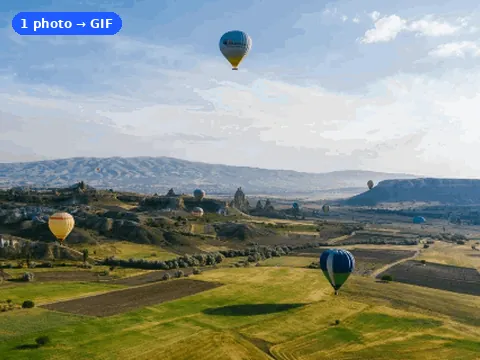
Photo to GIF maker
Zoom or pan one photo, or fade up to 24 photos into a GIF.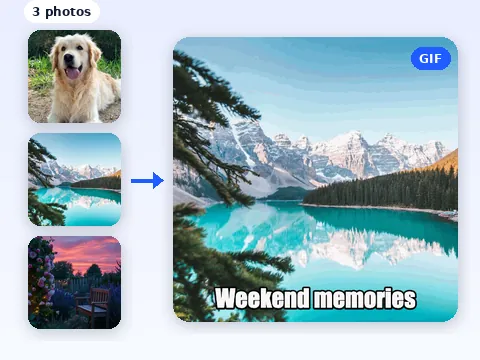
Multiple photos to GIF
Up to 24 photos, 0.1 to 3 s each, with text, in one loop.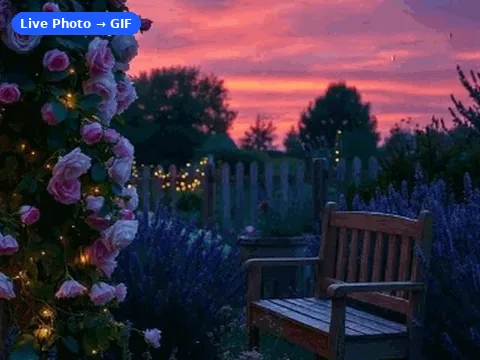
Live Photo to GIF
Trim the video inside a motion photo into a 6 to 12 fps GIF.
3D photo effect
One photo with depth-based motion, as a 1 to 6 s GIF or video.Which photo to GIF maker to use
| Tool | Input | Output | Price |
|---|---|---|---|
| Photo to GIF maker | 1 to 24 JPG, PNG or WebP photos | Looping GIF, 320 to 960 px | Free |
| Multiple photos to GIF | Up to 24 JPG, PNG or WebP photos | Looping GIF with optional text | Free |
| Live Photo to GIF | Motion photo video (.MOV, .MP4) or motion JPEG | GIF, 320 to 640 px wide | Free |
| 3D photo effect | One JPG, PNG or WebP, up to 20 MB and 20 MP | Parallax GIF, MP4 or WebM, 480 or 720 px | Free |
Who these tools are for
They suit anyone who has a few photos and wants one file that moves: a trip recap, a product shown from four angles, a before-and-after, a burst of shots from one moment, or a birthday card. A GIF plays on its own in a chat, an email, a slide or a forum post, with no play button and no sound.
The original two still-photo makers share one free editor. The Photo to GIF maker sits on the home page next to the AI tab, which is handy when you are still deciding between your own frames and AI motion. Multiple photos to GIF puts the same editor on a page of its own, with a longer guide to ordering, timing and text below it. Both have a Try sample photos button, so you can test the settings before you pick your own files. Live Photo to GIF uses the recorded video instead of a list of stills. The 3D photo effect estimates depth from one photo and shifts foreground and background separately, then exports GIF or video.
Settings, file types and limits
- Still-photo input: up to 24 JPG, PNG or WebP photos per GIF, each up to 15 MB. Drag them into the order you want.
- 3D photo effect: 1 JPG, PNG or WebP up to 20 MB and 20 MP; 4 motion presets, 1 to 6 seconds, 480 or 720 px GIF, MP4 or WebM. Depth and export run on your device.
- Timing: 0.1 to 3 seconds per photo. Transition: smooth fade (the default) or hard cut.
- Loop: start over, or play forward then back (boomerang).
- Text: one optional caption at the top or the bottom, in bold white letters with a dark outline on every frame.
- Canvas: the first photo’s shape or a square. Photo fit: crop to fill, or show the whole photo on white.
- Size: 320, 480, 640 or 960 pixels on the long side, or Email, which tries smaller sizes until the GIF is at most 1,000,000 bytes.
- One photo: keep it still, add a gentle zoom, or pan from side to side.
- Live Photo to GIF: the .MOV or .MP4 from a motion photo (up to 80 MB), or a motion JPEG with the video inside; trim it, then pick 6, 8, 10 or 12 fps and 320, 480 or 640 px.
Privacy, and what these tools do not do
The GIF is encoded on your device, in your browser. Photos and videos are not sent to a server, so nothing is stored after you close the tab. If you sign in, you can choose to save a finished GIF of up to 2 MB to your account for 30 days; that is the only upload, and it is optional.
The still-photo makers do not make transparent GIFs (a transparent PNG is painted on white), do not open HEIC stills, and do not split an animated WebP into frames. The sequence editors play your photos in order. The 3D photo effect adds depth-based camera motion, with possible tearing around hair, glass and hidden surfaces; it does not invent new actions. If you want one photo to actually move, such as hair in the wind or water rippling, that is the AI GIF maker, which uses credits, like online image enhancement. Some motion photo videos use a codec a browser cannot decode; Live Photo to GIF then explains how to export a more compatible copy.
Free maker or AI animation?
Choose a free maker when you already have the frames: several photos, or one photo that needs a zoom, a pan or depth-based parallax. Choose the AI GIF maker when you have one photo and want new motion described in a short prompt. AI clips cost 5 to 10 credits each, depending on 480p or 720p and 3 or 5 seconds, and a new account gets 10 free credits for 2 clips at the minimum price. The free makers never ask for credits.
To shrink a GIF for email, see the guide to compressing a GIF to 1 MB. For a motion photo movie, Live Photo to GIF trims it and sets the frame rate. Video to Live Photo in image tools makes paired resources or exports a silent MP4.
Photo to GIF tools: questions
Are the photo to GIF tools free?
Yes. All photo to GIF tools are free with no sign-up and no watermark. AI animation, photo generation, online image enhancement and GIF upscaling use credits.
How many photos can I put in one GIF?
Up to 24. Each photo can be a JPG, PNG or WebP of up to 15 MB, and each one stays on screen for 0.1 to 3 seconds.
Are my photos uploaded?
No. The GIF is made in your browser and the photos stay on your device. Saving a finished GIF to your account is optional and needs a sign-in.
Can I make a GIF from one photo?
Yes. Add one photo and pick a gentle zoom or a side-to-side pan, or keep it still. For depth-based parallax, use the free 3D photo effect. For new actions inside the photo, use the AI GIF maker instead.
How do I keep the GIF under 1 MB?
Pick the Email size. The maker tries smaller sizes and palettes until the file is at most 1,000,000 bytes. Fewer photos and a hard cut also make smaller files.
Can the GIF have a transparent background?
No. Transparent areas in a PNG are painted white. For a transparent animation from a sprite grid, use Spritesheet to GIF in GIF tools.