Normal map generator: turn an image into a normal map PNG
Turn one texture, photo or grayscale height map into a tangent-space normal map. Adjust strength, blur and green-channel direction, compare the source and result, then download a PNG at the original pixel dimensions. Processing stays on your device.
Your source image will appear here.
Your normal map will appear here.
What this normal map generator makes
A normal map stores surface directions in red, green and blue channels so a material responds to light as if it has small bumps. This free normal map generator reads brightness as height, measures changes with a 3 by 3 slope filter, and encodes them in a tangent-space PNG. Flat areas appear blue-purple; slopes change red and green.
The result is a lighting texture, not a raised mesh or depth measurement. A dark stripe may be paint, shadow or a groove; each becomes lower unless you invert height. A prepared grayscale height map gives you control over which areas should be high and low.
Prepare a grayscale displacement texture with the height map generator. Build pixel textures with photo to pixel art, preview frame sequences with spritesheet to GIF, or browse all image tools.
Examples
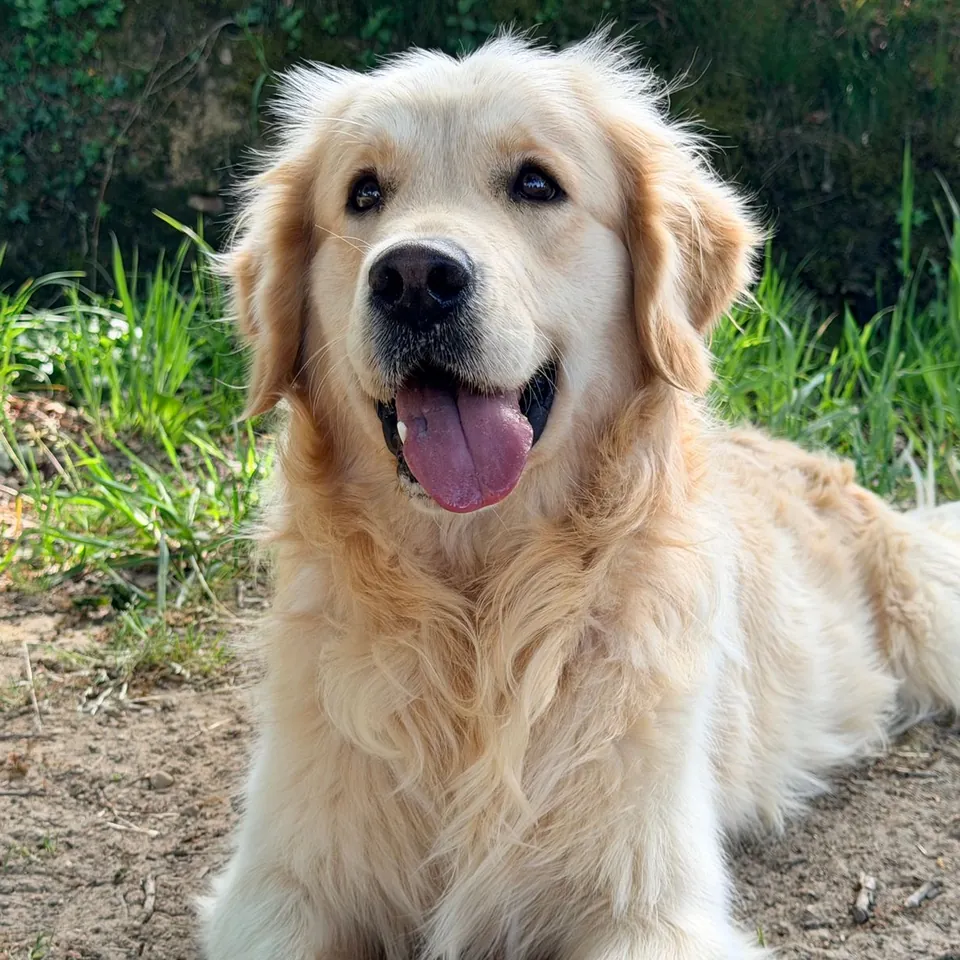
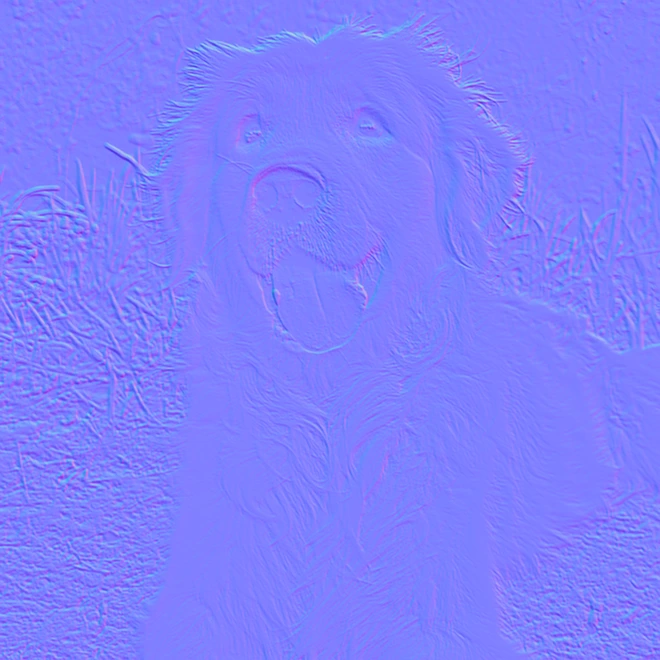
Make a normal map from an image in 4 steps
Choose 1 JPG, PNG or WebP file, up to 20 MB and 20 megapixels. The file keeps its original pixel dimensions.
Select photo brightness or Already a height map. Set Strength from 0 to 10 and Blur radius from 0 to 8 pixels.
Choose Y+ or Y− for the green channel. Optionally invert height or enable wrap sampling for a repeating texture.
Compare the 2 previews, then download the normal PNG. Save the optional grayscale height PNG if you want the intermediate texture too.
Control strength, blur and height direction
Strength multiplies slopes before normalization. At 0, the output is flat, with RGB values 128, 128, 255. The default is 4. Increase it for subtle changes; reduce it for overly steep edges. It changes direction data rather than object size.
Blur averages nearby heights before measuring slopes. The default radius is 1 pixel; 0 keeps sharp detail, and 8 smooths wider areas. Low blur preserves pixel edges and photographic grain. Higher blur removes tiny bumps. Compare at the scale where the texture will be used.
Invert height makes dark areas higher and light areas lower, reversing both slopes. Y+ and Y− instead reverse only the vertical normal component. Choose your renderer’s convention, then use height inversion to correct raised details that should be recessed.
Normal map generator for pixel art and height maps
For height map to normal map conversion, select Already a height map. It reads the red channel directly; grayscale channels carry the same value. Photo mode calculates weighted brightness from all three channels. Neither mode stretches contrast, so a narrow height range stays subtle unless you raise Strength.
For pixel art, start with Blur radius 0 and modest Strength. Flat regions produce flat normals; brightness boundaries produce slopes. Painted shading can create unwanted bumps, so a separate grayscale height image is easier to control. Previews are reduced for display; exports keep every source pixel.
Wrap edges samples across opposite borders: left meets right, and top meets bottom. Use it for repeating textures. It cannot repair mismatched artwork or make a photograph seamless. Leave it off for isolated images, where border samples are clamped to the nearest pixel.
Download full-size normal and height PNGs
Both downloads keep the decoded width and height without a watermark. The normal PNG contains opaque RGB directions. The height PNG contains grayscale after blur and inversion; Strength and Y convention do not change it. Transparent pixels become white height, so check cutout borders.
Import the normal as direction data using your renderer’s texture settings, then inspect it under a moving light. This page previews the encoded image, so it cannot confirm material settings or final lighting. Exports do not include roughness, metallic, occlusion or displacement textures.
Local files, practical limits and image rights
Files are decoded in your browser; a background worker calculates the map, and downloads are created on your device. Only JPG, PNG and WebP are accepted, up to 20 MB and 20 million pixels. Larger inputs are rejected without resizing. Large images need substantial memory; smaller textures may be more practical on phones.
Use images you own or have permission to edit and reuse. Conversion grants no image rights. Keep your original and review the map in its intended material: brightness is an assumption about height, and blue-purple output does not prove accurate geometry.
More free GIF and photo tools
Normal map generator questions
Is this normal map generator free?
Yes. You can convert a supported image and download full-size normal and height PNGs for free. There is no watermark.
Do my image files leave my device?
No. Image decoding, height filtering, normal calculation and PNG creation happen in your browser. The tool does not store your files on a server.
Can I convert an existing height map?
Yes. Choose Already a height map to read its grayscale height directly from the red channel. White is high and black is low unless you enable Invert height.
Which green-channel direction should I choose?
Choose the convention your renderer expects. Y+ and Y− reverse only the green component; if vertical lighting appears reversed, switch that setting and compare again.
Will a photograph become an accurate 3D surface?
No. This converter interprets brightness as height. Shadows, painted details and reflections can become false bumps, and the result does not change mesh geometry.
Does wrap sampling make any image seamless?
No. It uses pixels across opposite borders while filtering. It helps an already repeating height texture, but it cannot fix mismatched edges in the source artwork.
Can I keep hard pixel-art detail?
Yes. Use Blur radius 0 and start with low Strength. The normal PNG keeps the source dimensions, although transitions can still reflect unwanted shading in the colored source.