Head pat GIF maker: avatar or photo to a patting GIF
The head pat GIF maker lets you add a picture, set the squish, speed and position, and download a looping GIF of a cartoon hand patting its head. Sizes fit Discord emoji, and the background can be transparent.
An avatar, pet or photo. JPG, PNG, WebP or GIF (first frame), up to 20 MB. Nothing is uploaded.
The pat plays here once you add a picture.
Your picture stays on this device.
Examples
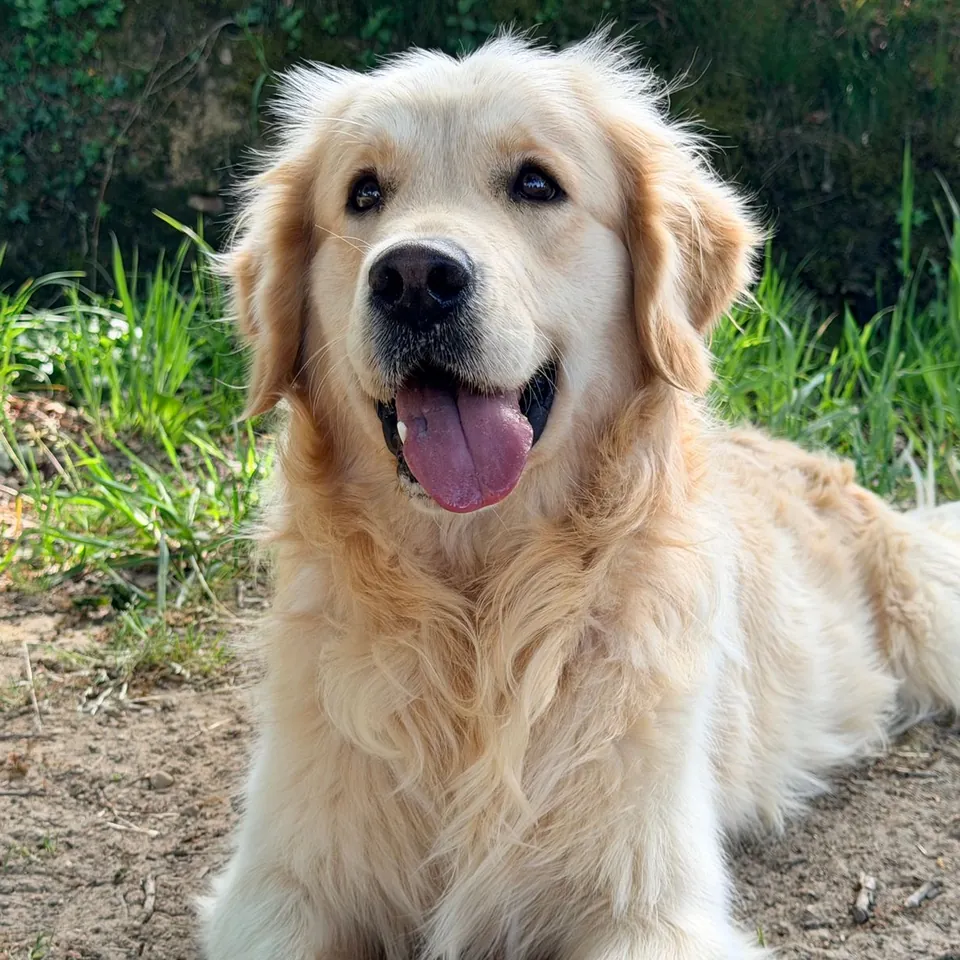
Head pat GIF maker: build an emoji in 4 steps
Add one picture: JPG, PNG, WebP or GIF (first frame), up to 20 MB. A face or avatar near the center works best.
Crop it with the zoom (1× to 3×) and the focus sliders, and choose a square, rounded or round shape.
Set the squish (0 to 40%), speed (20 to 120 ms per frame), frames per pat, picture size and position, and the hand size and color.
Choose 112, 128, 256 or 512 px and a transparent or solid background, press Make GIF, and download it.
What the head pat GIF maker makes
A head pat GIF shows a hand patting someone on the head while the picture squashes under it and springs back, usually as a small looping emoji. This page draws its own cartoon hand, puts your picture under it, and animates both frame by frame in your browser.
One pat is 4 to 16 frames, 8 by default. The picture is pressed down by up to 40% of its height and widens a little as it squashes, then springs back while the hand rides down and up with it. Each frame lasts 20 to 120 ms, so one pat takes between 0.08 and 1.9 seconds.
The GIF is square: 112 or 128 px for emoji, 256 px for chat stickers, 512 px for bigger posts. The background can be transparent, so the GIF sits cleanly on light and dark chat themes, or any solid color.
Sizes and settings for emoji
Chat apps show emoji small, so a clear face and a strong outline matter more than detail. 128 px is a safe default for custom emoji, and 112 px gives the smallest file. Discord, for example, has limited emoji uploads to 256 KB; the result card shows the exact file size so you can check before uploading.
If a file is too big, try 112 px, 6 frames instead of 8, or the round shape, which leaves more empty pixels. Photos with fine texture, like fur or grass, make larger GIFs than flat cartoon avatars.
Transparent output keeps the area around the picture and hand clear. GIF has no partial transparency, so soft edges are cut at 50% opacity; at 112 px the edge of a round crop can look slightly stepped. A solid background in your chat theme’s color avoids that.
The hand, the squish and the timing
The hand is original cartoon artwork drawn by the page with a dark outline, in five colors: peach, tan, brown, golden yellow and a white glove. Hand size runs from 60% to 140%. The picture can fill 50% to 100% of the GIF and move up to a quarter of the width or height in any direction, so a tall avatar or a pet photo with a lot of floor can still be lined up under the hand.
Squish sets how hard each pat lands. Around 20% looks like a gentle pat; 35% to 40% gives the cartoon squash that reads well at emoji size. Speed is the delay of each frame: 40 to 60 ms feels lively, 80 ms and above feels calm.
Where the head pat GIF meme came from
The head-pat gesture is older than any one meme, and there is no single credited GIF origin. It became a recognizable online anime and manga community meme by the mid-2010s, with Reddit’s r/headpats and a Facebook group among its early hubs; it later spread across Twitter, Reddit and other anime communities. People use a short looping pat to express gentle affection or encouragement, often as a chat reaction or emoji.
How this head pat GIF maker compares with general editors
A general GIF editor can do broader timing and compositing. This page focuses on the head-pat motion, with settings for the hand, squish and emoji-size output. The picture stays in the browser, and the export needs no account, credits or watermark.
Privacy and fair use of pictures
Your picture is cropped, animated and encoded in this browser tab. It is not uploaded, PhotoToGIF does not store it, and you do not need an account.
Pat pictures you have the right to use: your own avatar, your pet, a friend who agreed, or art you made or licensed. Do not use it to mock or harass someone, and keep other people’s characters to personal, non-commercial use.
More free GIF and photo tools
Head pat GIF questions
Is the head pat GIF maker free?
Yes. It is free, with no sign-up, no credits and no watermark. Make and download as many GIFs as you like.
Is my picture uploaded to a server?
No. The picture stays in this browser tab, where the frames are drawn and the GIF is encoded. The file downloads straight from the page.
Which formats and sizes work?
JPG, PNG, WebP and GIF up to 20 MB. An animated GIF uses its first frame. Output sizes are 112, 128, 256 and 512 px square.
Can the GIF have a transparent background?
Yes. Choose Transparent and the area outside the picture and hand stays clear. GIF transparency is on or off for each pixel, so soft edges are cut at 50%.
What size should I use for a Discord emoji?
128 px is the usual choice, and 112 px makes the smallest file. Check the file size under the result against the limit Discord shows when you upload.
How do I make the pat faster or slower?
Move the speed slider: 20 ms per frame is the fastest and 120 ms the slowest. Fewer frames per pat also make each pat quicker.
Does it animate an animated GIF?
No. An animated GIF is read as its first frame, and the pat is the only motion in the result.
Can I use the GIF commercially?
Yes, if you own the picture or have permission. The hand is drawn by this page; the rights to the picture under it are your responsibility.