AI image enhancer: one photo to a 2× or 4× PNG
Enhance 1 JPG, PNG or WebP into a 2× or 4× PNG free in your browser, or use online 2× AI for 5 credits ($0.25). Files can be up to 4 MiB, with a maximum of 262,144 input pixels at 2× or 65,536 at 4×. Drag the comparison slider to inspect detail, then download your PNG.
$0 · no account or image upload. First use downloads about 16 MiB of model and runtime files. Slow devices may take minutes.
Small photo.
A closer look.
Choose a still image to begin.
Compare details before saving.
Examples
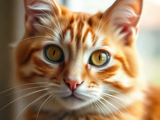
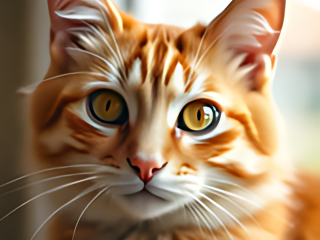
Enhance your image in 3 steps
Choose 1 JPG, PNG or WebP up to 4 MiB. Check its width and height first: a 512 × 512 photo fits 2×, while a 256 × 256 photo fits either local scale. Resize larger originals before choosing them.
Pick free local 2× or 4×, then start enhancement. For online 2×, sign in, check the 5-credit price and balance, confirm image rights, and submit once. The paid mode uploads your image; the local mode keeps it on this device.
Move the before/after slider across the result. Look at small text, faces and edges at the intended viewing size. Download the PNG before closing a local session, or recover a saved online result from your recent runs.
Choose local enhancement or online AI
Start with the free local mode when you want to test a small photo, enlarge an avatar, or prepare a cropped picture for a layout. It uses a neural enhancement model rather than only stretching pixels. Processing runs in a worker so the editor can show progress and offer cancellation. Your device performs the work, so speed depends on its processor, available memory and the size of your source.
Choose online AI when you want to compare a second enhancement model and accept an external upload. Its fixed price is 5 credits for one image, equivalent to $0.25 at $9 for 180 credits. The output on this page is always 2× in each dimension. The 4× choice belongs to the local tier. A price shown here is a charge for a run, not a promise that every source will improve.
More pixels, with a fixed size you can check
A 2× enlargement doubles width and height, which creates 4 times as many pixels. A 4× enlargement creates 16 times as many pixels. For example, a 240 × 160 source becomes 480 × 320 at 2× or 960 × 640 at 4×. Neither mode changes the aspect ratio or adds a border. The downloaded file is PNG even when the input was JPG or WebP.
The local model runs at its native 4× size; the 2× option reduces that inferred result to the selected dimensions. Online results are normalized to the promised 2× dimensions before delivery. These limits keep memory and output sizes bounded. The editor refuses an oversized source rather than quietly shrinking it, so the dimensions you see have a clear relationship to the original.
Check believable detail before using the result
Enhancement estimates plausible image detail. It does not recover a verified record of a scene. A small compressed photo may look cleaner while a fine pattern changes or a letter takes on the wrong shape. Use the slider to inspect the same area on both versions. For a product photo, check labels, seams and texture; for a portrait, check identity and expression. Keep your original alongside the download.
Heavy motion blur, a completely out-of-focus face, a tiny screenshot of text, or an image that has already been repeatedly enlarged may remain unsuitable. Upscaling also cannot reveal a cropped-out object or remove an obstruction. A PNG can be larger in bytes than the original compressed file. Pick the result because it suits the intended display, not because the pixel dimensions alone are higher.
Other ways to work with one photo
AI image enhancer questions
Is this AI image enhancer free?
Yes, the local 2× and 4× modes cost $0 and need no account. They run an enhancement model on your device. The separate online 2× option costs 5 credits ($0.25) per image and requires sign-in and an available credit balance. Choosing a file does not spend credits; the paid button starts the charge.
What are the exact file and resolution limits?
One JPG, PNG or WebP up to 4 MiB (4,194,304 bytes), with each side at most 1,024 px. Local 2× and online 2× accept up to 262,144 input pixels; local 4× accepts up to 65,536. Both local scales produce at most 1,048,576 output pixels. A 512 × 512 source fits 2×; a 256 × 256 source fits 4×. There is no automatic crop or reduction to make an oversized photo fit.
Which enhancement models are used?
Local processing uses Real-ESRGAN general x4v3; online processing uses Recraft Crisp Upscale through fal. These are separate models, so their results can differ. The official online model and price page lists $0.004 per image, checked November 13, 2026. The product price is 5 credits ($0.25) per image. The local model license permits commercial use with its notices retained.
Can it repair a blurred face or make small text readable?
It may produce a sharper-looking result, but it cannot verify missing details. A model can change facial features, lettering, skin texture or fine patterns. Compare the eyes, mouth, small words and object edges before saving. Do not use an enhanced image as evidence of what was present in an unreadable source or to alter identity or official documents.
Will my photo be uploaded or stored?
Local mode does not upload the image. It downloads about 16 MiB of model and runtime files on first use, then processes on your device. Online mode uploads a PNG copy for external processing, keeps the source for up to 24 hours and the private result for up to 30 days. Download important results; storage is not a backup. Only submit images you have rights to use and consent for.
Does the PNG keep transparency and the original metadata?
Transparency is kept by enlarging the original alpha mask; the model does not infer a new cutout. Both modes export PNG pixels rather than copying camera metadata. Transparent edges can still show color halos, so inspect the result on the background where you will use it. This tool does not remove a background or restore hidden portions of an object.
What happens if online enhancement fails?
A failed or timed-out run returns its credits once. An unclear submission is not automatically sent again; it stays pending until reconciliation or timeout. After a reload, open a recent run to check its status or download its result without another charge. A successful result that you dislike is not treated as a technical failure, and returned credits are not a cash refund.
Can I enhance several pictures or an animation?
No, this page handles one still image per run. An animated image is read as a single still by the browser; it does not produce an enlarged animation. Use a still export if you need a specific frame. There is no batch purchase or hidden multi-image request, and uploading a second photo replaces the current local preview.