1980s AI photo: one photo to a retro portrait
Turn 1 adult photo into 1 retro JPG for 10 credits ($0.50 from the credit pack). Choose from 3 styles: yearbook, film snapshot or mall glamour. This paid image edit uploads your photo for processing; it redraws hair, clothes and lighting rather than simply tinting the original pixels.
One JPG result uses 10 credits ($0.50 from the $9 pack).
Your photo uploads only after you sign in, confirm permission and choose Generate.
What this 1980s AI photo tool makes
It turns one adult portrait into a new 1980s-style JPG using one of three presets. It costs 10 credits, requires an account at generation time, and uploads your photo for external image processing. The examples below are style illustrations, not generated results.
Three 1980s portrait styles
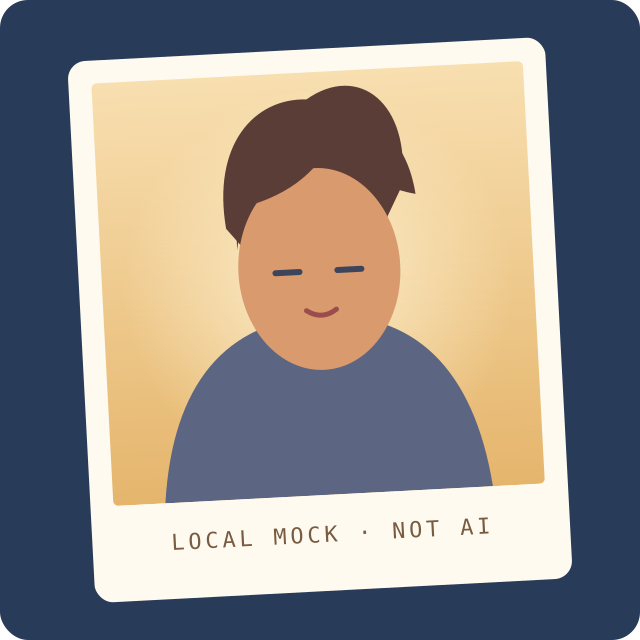
These original style illustrations explain the three presets. They are not generated portraits or promises of a result.


How to make a 1980s AI photo
Choose one clear JPG, PNG or WebP portrait under 4 MB and 7 megapixels. Use a photo of one consenting adult whose face is easy to see.
Pick Yearbook, Film snapshot or Mall glamour. Each preset describes a different 1980s portrait treatment while asking the model to retain the adult subject’s identity.
Confirm that you have the image rights and the adult subject’s permission, then sign in and choose Generate. One result uses 10 credits; the upload begins only after you submit.
Review the private JPG result. Download it if you want a local copy, or delete it from this page. If it changes the face too much, try a clearer source photo or another preset.
What is a 1980s AI photo?
A 1980s AI photo is a new portrait based on a photo you provide. Choose a yearbook studio, warm film snapshot or mall glamour preset. The generator changes the hair, clothes, lighting and background to suggest the decade while asking the image model to keep the same adult subject recognizable.
Unlike an 80s photo filter, image-to-image generation redraws parts of the portrait. It asks to preserve identity, but can change facial details; review the result before sharing it.
Choose an 80s yearbook, film or glamour style
Yearbook uses a simple backdrop and soft flash. Film snapshot adds warm flash and gentle grain; mall glamour uses softer light and a cloud-like studio background. They suggest the decade without reproducing a real school, uniform, camera or salon style.
The result is one still JPG, with no authentic date stamp or guarantee of period accuracy. For a simple color wash, use a conventional photo editor; for motion, try the AI GIF maker.
Identity, consent and limits
The prompt asks the image model to keep the adult person recognizable, including their face, skin tone, age and framing. Generative editing can still alter facial details, expression or small features. Do not use a result as proof of identity or as an authentic historical photograph.
Use only your own photo or one you have permission to edit. Every adult shown must agree to this transformation. Do not submit a celebrity or public figure, a minor, or a person who has not consented. The page cannot reliably detect who is pictured, so these rules depend on your confirmation.
A well-lit, front-facing portrait of one adult works best. Small or obscured faces, group photos, text, logos and busy backgrounds can make the result less reliable. The tool does not grant rights to an image or likeness.
Where the photo goes and how long it is kept
The photo and style prompt are uploaded to PhotoToGIF and sent to its configured image processor. The source expires after 24 hours; your private result expires after 30 days. Scheduled cleanup removes expired files, or you can delete them here sooner. The processor may apply its own privacy terms.
Do not upload an image you would not want processed by an external AI service. Use a free browser tool for local processing, and save the JPG if you need it beyond 30 days.
Credits, output and file limits
Each generation costs 10 credits, worth $0.50 from the $9 pack, and requests one square JPG at approximately 1 megapixel. This is a paid tool. Sign in with enough credits before submitting; the server sets the price and reserves it once when the task is accepted. A failed or timed-out generation returns credits once; a successful result is not refunded.
Upload one JPG, PNG or WebP up to 4 MB and 7 megapixels. Unsupported image contents can still be rejected. The 7 MP input limit leaves room for the generated image within the processor’s combined pixel limit.
The one-time $9 pack has 180 credits valid for 90 days, enough for 18 generations at this price; check pricing for current availability. Commercial use requires rights to the source photo and each likeness. Credits grant no rights.
Keep this tab open while the job runs. The page checks progress every 3 seconds and shows the accepted task separately from your selected input. A slow connection does not mean you should start another generation: retry the same submission to recover its task ID. Deleting a queued or running task gives up its credit refund. Download a finished result before its 30-day expiry if you want to keep it.
Try another photo tool
1980s AI photo questions
How many credits does one 1980s AI photo cost?
One generation costs 10 credits ($0.50 from the $9 credit pack) and requests one square JPG. It is a paid tool. Failed or timed-out jobs return credits; a successful result is not refunded.
Is this an 80s filter or an AI photo generator?
It is an image-to-image generator. It redraws the photo with period styling instead of only changing color and contrast. If you want the original pixels with a simple retro tint, use a conventional filter.
Does it keep my face and identity?
It asks to preserve the adult subject’s face, skin tone and framing, but details can change. Review the JPG before sharing; identity preservation is not guaranteed.
How long are my photo and result kept?
The source expires after 24 hours and the private result after 30 days. Scheduled cleanup removes the files; delete them here to remove them sooner. The external processor may apply its own data terms.
Can I use the result commercially?
Only when you have commercial rights to the source photo and permission for each person’s likeness. Credits do not grant image, logo, copyright or publicity rights.
Can I use a celebrity photo or a minor’s photo?
No. Use an authorized photo with consent from every adult shown. Do not submit celebrities, public figures, minors or anyone who has not agreed.
What files can I upload and download?
Upload one JPG, PNG or WebP up to 4 MB and 7 megapixels. The tool returns one JPG; the requested output is square at approximately 1 megapixel.
Which image service processes the photo?
The FLUX Kontext image editor runs through APIMart when configured, with fal as the fallback. See the editing and pixel-limit documentation and the primary price and fallback price sources (checked November 12, 2026). Our price remains 10 credits whichever configured path serves your task.
Does the tool upload my photo?
Yes. The image goes to PhotoToGIF storage and its configured external processor; this is not a browser-only filter. The source expires after 24 hours and the result after 30 days; scheduled cleanup removes them, or you can delete them sooner.