My beloved GIF maker: one photo to a heart locket meme
The my beloved GIF maker lets you add one photo, write your caption, and choose how the locket moves: a slow turn, a gentle zoom, a sway on its chain, or the lid lifting off. Then download the looping GIF.
Add a photo to put it in the locket.
Examples
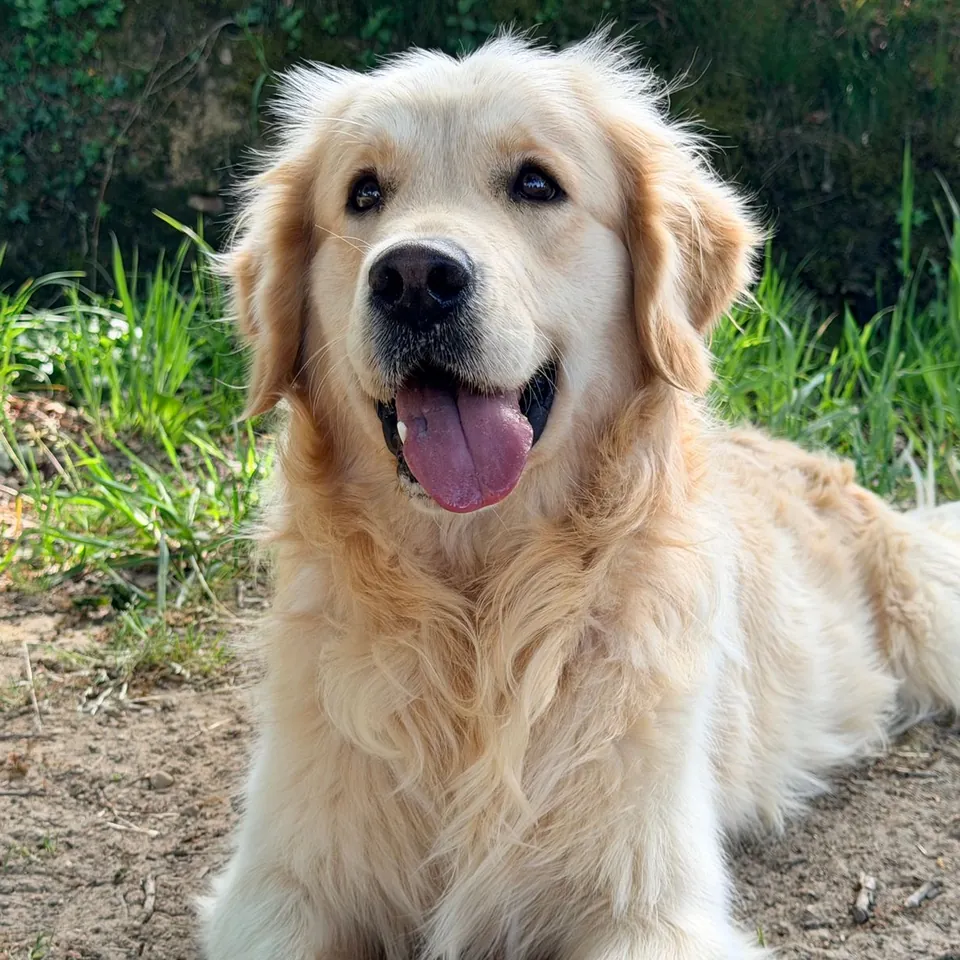
My beloved GIF maker: make your locket in 4 steps
Add one photo: JPG, PNG, WebP or GIF (first frame), up to 20 MB. A photo with the face near the middle works best.
Fit it in the heart with the zoom (1× to 3×) and position sliders. Type your caption and pick its font, color, size, and whether it sits above or below the locket.
Choose a motion (turn around, slow zoom, sway or lid opens), then the finish, background and speed.
Pick 320, 480 or 640 px, press Make GIF and download the file.
What the my beloved GIF maker does
The "my beloved" meme puts someone you adore, often a pet, a partner or a fictional character, inside a heart locket with the words "my beloved" underneath, usually on a dark background. This maker draws that locket around your photo and animates it so it loops as a GIF.
The default is the classic look: a gold locket on black, the caption in an italic serif, and a few sparkles. All of it can change. The caption is yours to edit, up to 60 characters: "Biscuit, my beloved", "my beloved (he ate my sandwich)", or no words at all.
The GIF is square, at 320, 480 or 640 px. Each motion is 36 to 53 frames at 40, 60 or 80 ms per frame, so one loop lasts between about 1.4 and 4.2 seconds.
Four ways the locket can move
Every motion ends where it started, so the loop has no visible jump. The preview plays with the same frame delays the GIF will use.
- Turn around: the locket starts with its engraved back to you, turns to show your photo, catches a glint of light, and turns back. 53 frames.
- Slow zoom: the locket eases about 9% closer and back while a glint crosses the metal. 40 frames.
- Sway: the locket swings gently on its chain, about 8 degrees each way. 36 frames.
- Lid opens: the engraved lid lifts away to show the photo, holds, and closes again. 44 frames.
Caption, fonts and backgrounds
The caption can use one of four bundled open-licence fonts: a classic italic serif (Libre Baskerville), a handwritten script (Caveat), a bold sans (Inter) and a tall poster face (Oswald). A long caption wraps onto two lines and shrinks to fit the width of the GIF. Clear the box for a locket with no words.
Backgrounds are black (the classic), midnight, red velvet, blush pink, cream, white, or a custom solid color. The caption gets a soft glow on dark backgrounds and a soft shadow on light ones so it stays readable.
Where the my beloved heart locket meme came from
The heart locket animation itself was available on MakeSweet in 2008. The “X my beloved” caption gained attention when a “Bingus my beloved” edit circulated in Discord in October 2020, followed by fan edits and GIF reposts on Tumblr, Tenor and Twitter. People use it to present a pet, creator, character or ordinary object as deeply loved, sincerely or for comic effect.
How this my beloved GIF maker compares with meme editors
General meme editors offer more layouts; this one keeps to the heart locket reveal and an editable caption. Your photo is processed in the browser, and you can download without an account, credits or watermark.
Limits, privacy and rights
A GIF frame holds up to 256 colors, so fur, skin and soft light can band slightly. There is no transparent background; the locket always sits on the background you choose.
Your photo stays on your device. It is drawn and encoded in this tab, not uploaded or stored by PhotoToGIF, and no sign-up is needed.
Use a photo you own or have permission to share. Your pet or yourself is simple; for a partner or a friend, ask first. Screenshots and fan art of characters belong to their creators, so keep those GIFs to personal sharing.
Want two photos in a locket that opens like a book? That is the heart opening GIF maker in the list below.
More free GIF and photo tools
My beloved GIF questions
Is the my beloved GIF maker free?
Yes. It is free, with no sign-up, no credits and no watermark. Make as many versions as you like and download each one.
Is my photo uploaded?
No. The photo is read, drawn into the locket and encoded as a GIF in this browser tab. PhotoToGIF never receives or stores it.
Which formats and sizes work?
JPG, PNG, WebP and GIF up to 20 MB. An animated GIF uses its first frame. The output is a square GIF of 320, 480 or 640 px.
Can I change the "my beloved" text?
Yes. Type anything up to 60 characters, choose one of four fonts and a color, and place it above or below the locket. Leave the box empty for no caption.
Which motion should I pick?
Turn around is the most dramatic reveal and the classic choice for the meme. Slow zoom is the calmest, sway feels like a pendant on a chain, and lid opens works when you want a small surprise.
Can I make the background transparent?
No. GIF transparency has hard pixel edges, which would make the smooth locket and the caption glow look jagged, so a solid or gradient background is always used.
Can I use the GIF commercially?
Only if you own the photo or have permission for commercial use. Characters from shows, games and films belong to their rights holders, even inside your own locket.
Why does my GIF look slightly banded?
Because GIF frames are limited to 256 colors. Soft gradients in fur, skin or the background are reduced to the nearest colors. A larger size can help a little.