Image tools: one photo in, artwork, an enlargement or an AI portrait out
These image tools turn one photo into artwork, an enlargement or a portrait. There are fifteen: thirteen free local editors, including 2×/4× enhancement, plus two paid AI portrait tools: 1980s AI photo and Loading-screen art filter.
Free local modes need no uploads, sign-up or watermarks. Online 2× enhancement costs 5 credits ($0.25) and AI portraits cost 10 credits ($0.50). Both upload the photo and require sign-in.
The image tools
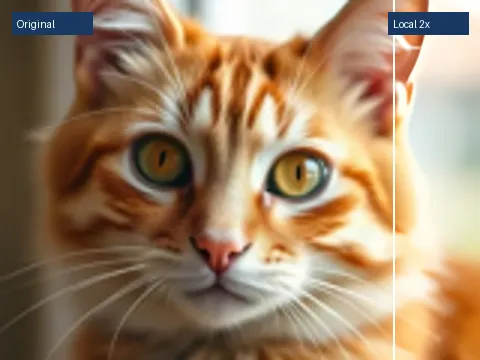
AI image enhancer
Free local 2×/4× PNG; online 2× for 5 credits ($0.25).
1980s AI photo
One adult photo to a retro JPG. Style illustration shown.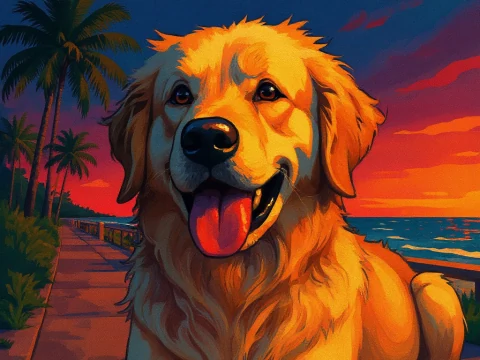
Loading-screen art filter
One photo to video-game loading-screen art. Style preview shown.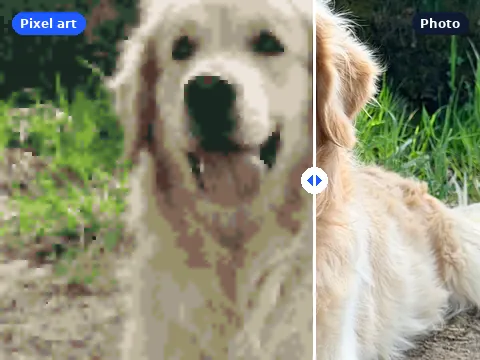
Photo to pixel art
Blocks from 2 to 64 px, retro palettes, PNG or a short GIF.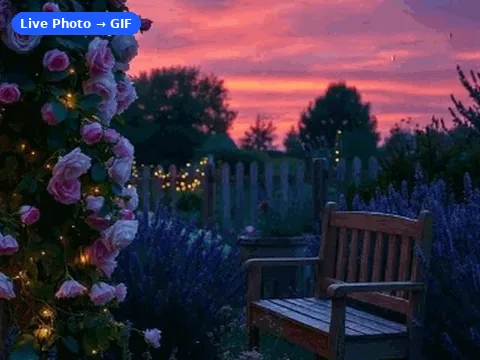
Video to Live Photo
Short video to paired photo files; motion photo back to MP4.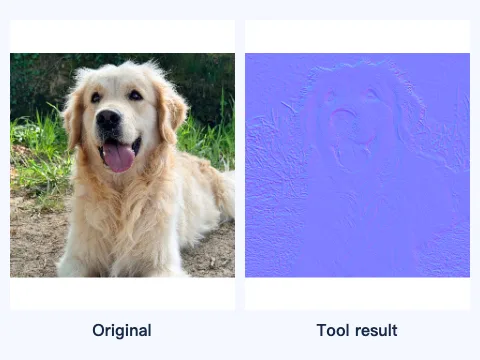
Normal map generator
Texture or height image to a source-size normal map PNG.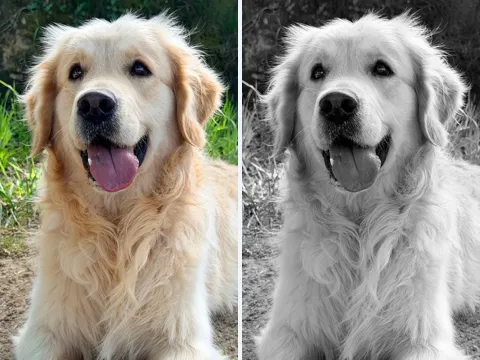
Height map generator
Image to 8-bit or 16-bit grayscale height PNG, locally.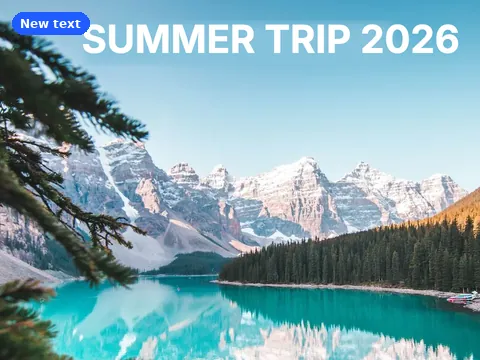
Edit text in photo
Cover old words, type new ones in 11 fonts, save full size.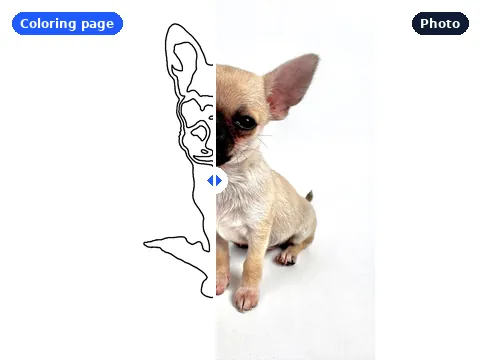
Photo to coloring page
Black outlines on a printable 300 dpi page, as PNG or PDF.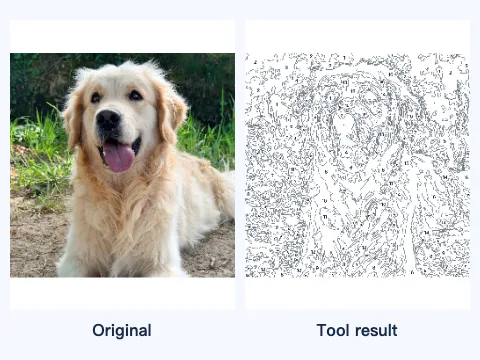
Photo to paint by number
Numbered regions, a color key and a printable painting template.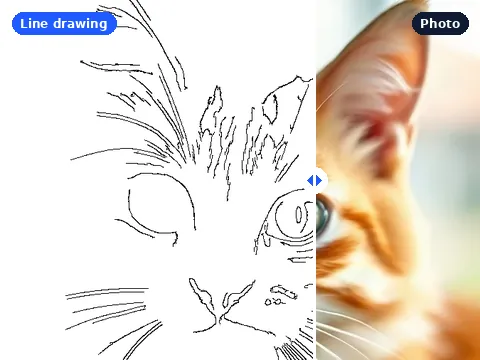
Photo to line drawing
A black-and-white line drawing PNG at the original size.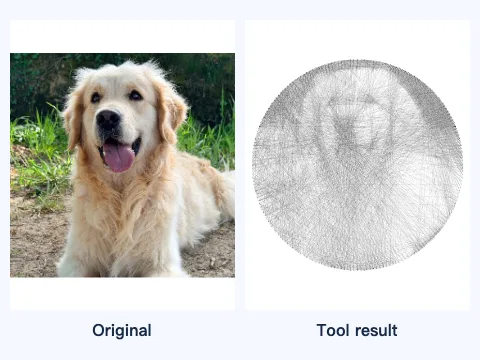
String art generator
One photo to a pin template, thread preview and numbered steps.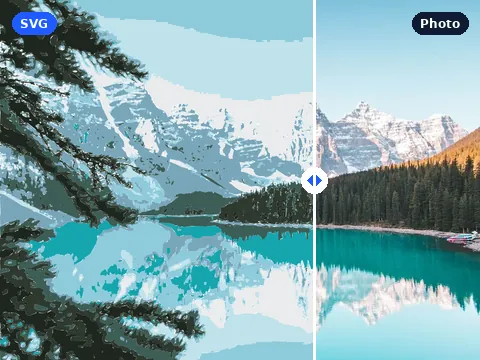
Photo to SVG
Trace a photo into 2 to 32 color paths or a black cut file.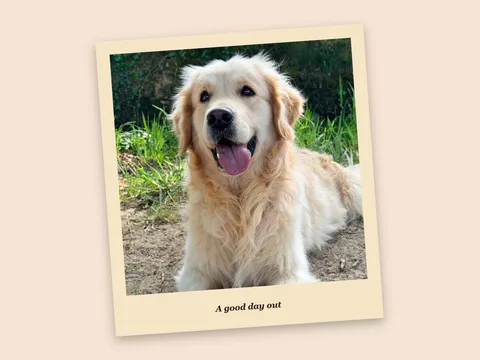
Instant photo frame maker
Give one photo a classic instant frame with a caption, tilt or shadow.
Add snow to photo
Add a light flurry or heavy snowfall and export a still or a loop.Which image tool to use
Choose by output: printable outlines, color blocks, textures, thread plans, SVG paths or paired photo files. Add an instant frame or snowfall, replace words, enlarge an image or restyle a portrait.
| Tool | Input | Output | Price |
|---|---|---|---|
| AI image enhancer | 1 JPG, PNG or WebP · 4 MiB · up to 262,144 pixels | 2× or 4× PNG with before/after comparison | Free |
| 1980s AI photo | One JPG, PNG or WebP, up to 4 MB and 7 MP | One square retro portrait | AI · 10 credits |
| Loading-screen art filter | One adult or pet photo · JPG, PNG or WebP · 4 MB and 7 MP | One illustrated JPG | AI · 10 credits |
| Photo to pixel art | JPG, PNG, WebP or GIF, up to 20 MB | Pixel-art PNG or 4-frame GIF | Free |
| Video to Live Photo | MP4, MOV, WebM, pair or Motion Photo; 50 MB per file | JPG + MOV ZIP, Motion Photo JPEG or silent MP4 | Free |
| Normal map generator | JPG, PNG or WebP, up to 20 MB and 20 MP | Tangent-space normal map PNG | Free |
| Height map generator | JPG, PNG or WebP, up to 20 MB and 20 MP | Source-size 8-bit or 16-bit grayscale PNG | Free |
| Edit text in photo | JPG, PNG or WebP, up to 20 MB | PNG or JPG at the original size | Free |
| Photo to coloring page | JPG, PNG, WebP or GIF, up to 20 MB | 300 dpi PNG or one-page PDF | Free |
| Photo to paint by number | JPG, PNG or WebP, up to 20 MB and 20 MP | Numbered template PNG, palette PNG and printable file | Free |
| Photo to line drawing | JPG, PNG, WebP or GIF, up to 20 MB | Line drawing PNG | Free |
| String art generator | JPG, PNG or WebP, up to 20 MB and 20 MP | Preview PNG, printable pins and TXT or CSV steps | Free |
| Photo to SVG | JPG, PNG or WebP, up to 20 MB | SVG paths | Free |
| Instant photo frame maker | JPG, PNG or WebP, up to 20 MB and 20 MP | Framed PNG in white, cream or black | Free |
| Add snow to photo | JPG, PNG or WebP, up to 20 MB and 20 MP | Snowy PNG or 2-second falling-snow GIF | Free |
Who these image tools are for
Review generated portraits before sharing.
Print Letter or A4 at 100%. Inspect SVG previews for loose pieces and narrow gaps.
Settings and limits, tool by tool
- AI image enhancer: 1 JPG, PNG or WebP up to 4 MiB; max 262,144 input pixels at 2× or 65,536 at 4×, 1,024 px per side. Local modes are free; online 2× costs 5 credits ($0.25). Download PNG.
- Photo to pixel art: 2–64 px blocks, original colors or six retro palettes; exports PNG or a 4-frame GIF.
- Photo to line drawing: edge detail, sensitivity, line weight, inversion and transparency; exports source-size PNG.
- Photo to coloring page: outlines with an optional title, on Letter or A4 in either orientation; exports 300 dpi PNG or PDF.
- Video to Live Photo: 50 MB/file; 0.5–3 s, 24 fps, 720 px. Paired resources or MP4; device import untested.
- Normal map: source-size direction PNG. Height map: 8-bit or 16-bit grayscale PNG, 20 MB/20 MP. Paint by number: numbered template and color key. String art: pin template and winding sequence.
- Photo to SVG: 2 to 32 colors or one black cut-file color, with background removal and path cleanup; exports an SVG of real paths.
- Edit text in photo: box the old words, fill the box in one of three ways, type new text in 11 fonts; exports PNG or JPG at the original size.
- 1980s AI photo: one JPG, PNG or WebP up to 4 MB and 7 MP; one square portrait for 10 credits.
- Loading-screen art filter: one adult or pet photo up to 4 MB and 7 MP. Choose from two illustrated styles for 10 credits.
- Still-image editor inputs: JPG, PNG or WebP up to 20 MB. Line art, coloring and SVG accept up to 20 megapixels, the text editor up to 50. Pixel art, line art and coloring also take the first frame of a GIF.
Privacy, and what these tools do not do
Download local files before closing the tab. Online jobs upload photos and keep private results for up to 30 days. Restyle a portrait only with the adult’s consent and source rights.
The text editor needs a manually selected area and font. Keep official documents out of the editor. For coloring pages, choose a clear subject and a plain background.
Image tools: questions
Are these image tools free?
Thirteen have free local modes that need no account and add no watermark. Online image enhancement is optional and costs 5 credits ($0.25). Both AI portrait tools cost 10 credits ($0.50) per generation and require an account.
Do these image tools upload my image?
No for the free local modes; they process and save on your device. Yes for optional online image enhancement and both paid AI portrait tools, which send the image for external processing. Uploaded sources expire after 24 hours and private results after 30 days, or you can delete them sooner.
Which image tool makes a file for a cutting machine?
Photo to SVG. Pick one black cut-file color for a single-layer cut, or 2 to 32 colors for a layered design, and remove the background first.
What size does a coloring page print at?
US Letter or A4, at 300 dpi. Download the PNG or the one-page PDF and print at 100% so the page is not scaled.
Can the line drawing be a vector?
No. Photo to line drawing exports a PNG at the original size. For vector paths, trace the photo with Photo to SVG.
Can I edit the text on a receipt or an ID?
No. Edit text in photo is for posters, captions and personal photos. Altering IDs, receipts, invoices, tickets, certificates or official documents is not allowed.